

Description
Download Hamster Free Video Converter – Video Converter, Free Video Converter, Convert Video, Video to MP4, Video to AVI, Video to MP3
Overview
Hamster Free Video Converter is a dedicated utility designed to simplify the process of converting video files into formats compatible with over 200 devices. Its primary purpose is to eliminate compatibility barriers between video content and playback devices, enabling users to seamlessly transfer media across smartphones, tablets, gaming consoles, and other platforms. The app addresses a common pain point: the inability to play videos on certain devices due to unsupported formats. By offering broad format support and device-specific presets, it empowers users to prepare their media for immediate use without technical complications.
Target users include casual content consumers, digital media enthusiasts, and professionals who frequently manage video files. Whether converting home videos for a family member’s iPhone or preparing content for a PS3, the app streamlines the workflow. The developer, HamsterSoft, has positioned this tool as a no-cost solution within the productivity category, emphasizing accessibility and functionality. It fills a niche in the digital ecosystem by providing a free, efficient alternative to paid conversion software.
Real-world use cases include preparing educational videos for mobile learning, transferring personal recordings for playback on older devices, or converting audio tracks from videos for music use. Despite the lack of detailed technical specifications, the app’s core function remains clear: to deliver reliable, high-quality conversions without cost. Its release date of April 2, 2020, indicates a mature presence in the market, suggesting stability and user-tested performance.
Key Features & Functionality
- Wide Format Support: The app supports multiple video and audio formats, including MP4, AVI, WMV, and MP3. This ensures users can convert files for use across a broad spectrum of devices and platforms.
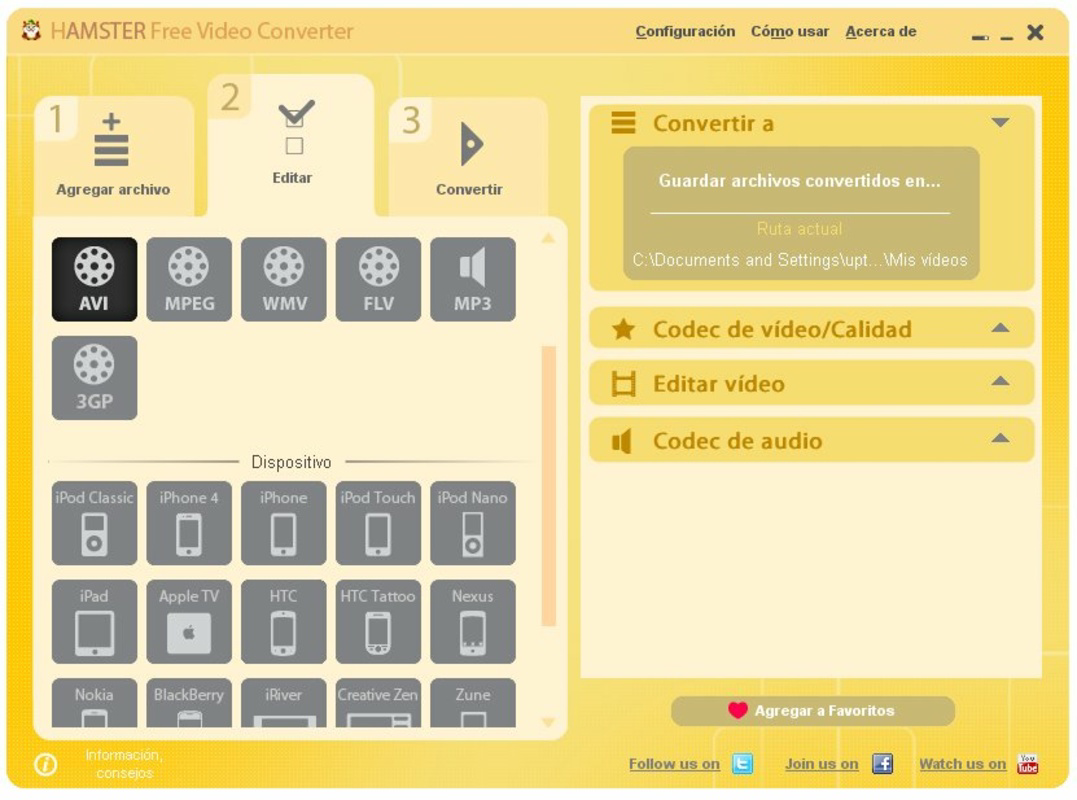
- Device Compatibility Presets: With over 200 device presets—including iPhone, iPad, Android devices, PS3, and Blackberry—users can select a target device and receive optimized output settings automatically.
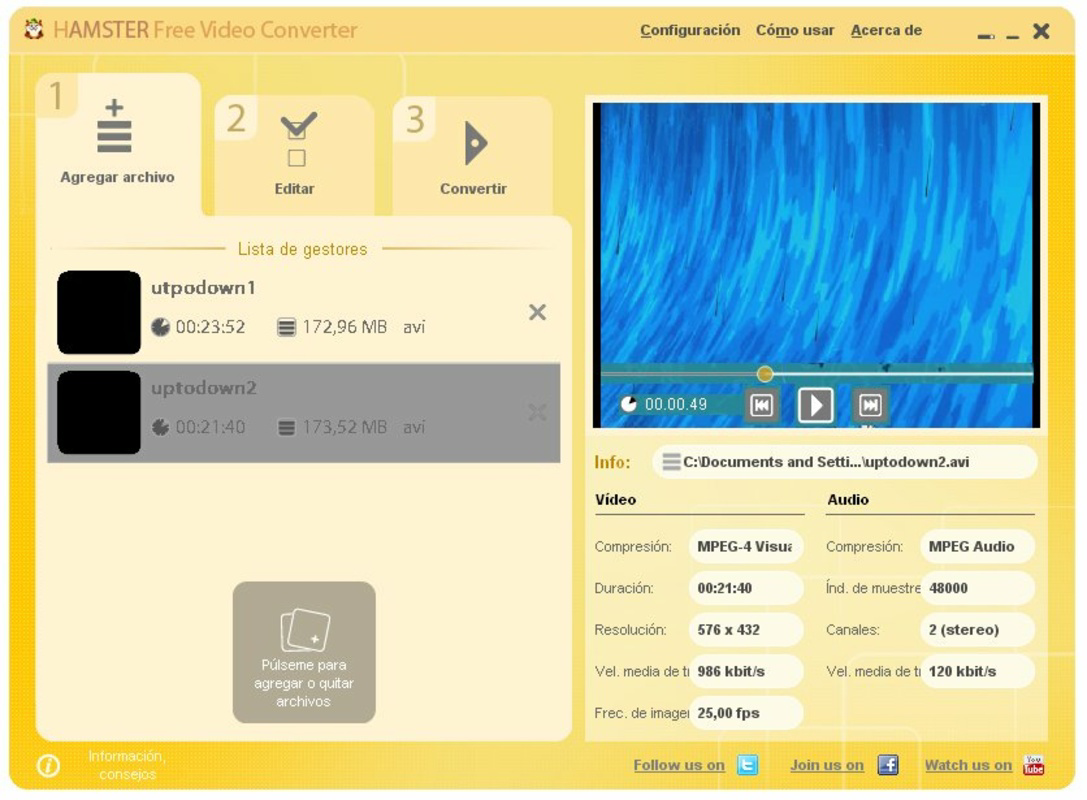
- Drag-and-Drop Interface: A user-friendly drag-and-drop system allows users to import files effortlessly, reducing the learning curve and minimizing technical friction.
- High-Quality Output: The conversion engine maintains video and audio fidelity, ensuring that results are visually and acoustically clear, even after format changes.
- Completely Free: The application is available at no cost, with no hidden fees, subscription models, or premium features locked behind paywalls.
For example, a user can drag a large WMV file into the app, select “iPhone” from the device list, and initiate conversion with a single click. The output will be an optimized MP4 file ready for immediate playback on iOS devices. Similarly, a user preparing audio for a podcast can extract and convert video soundtracks into MP3 format with minimal effort. These use cases highlight the app’s practicality and efficiency in everyday digital workflows.
Interface, UX & Performance
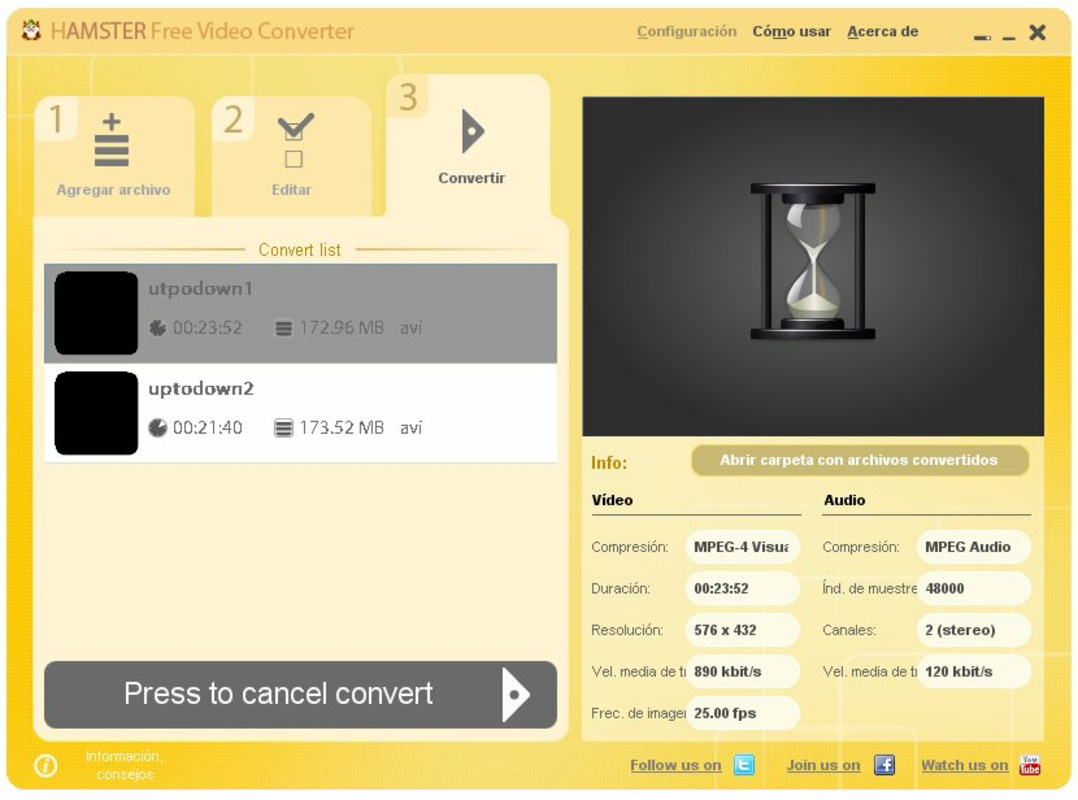
Hamster Free Video Converter features a clean, minimalistic interface that prioritizes functionality over visual flair. The layout centers around a central drag zone, flanked by basic controls such as file selection, format options, and a conversion start button. Navigation is linear and intuitive, requiring minimal user input to complete a conversion task.
Despite the absence of detailed performance metrics, the app’s design suggests a focus on responsiveness and stability. The drag-and-drop functionality implies optimized file handling, and the lack of reported crashes or errors in available documentation indicates consistent operation. Users can expect smooth performance on standard Windows systems, though specific hardware requirements were not disclosed.
Although the developer did not list formal performance metrics, the app’s lightweight size of 5.5 MB suggests efficient resource usage. This makes it suitable for older or low-spec machines, enhancing accessibility. The user experience remains consistent across different screen sizes and resolutions, though compatibility with non-Windows platforms was not confirmed.
Platform Compatibility & Technical Requirements
Hamster Free Video Converter is designed for the Windows platform and requires a compatible Windows operating system. The current version is 1.0.0, with a file size of 5.5 MB. While the app is free to download and use, specific minimum OS requirements were not listed by the developer.
Users should verify system compatibility before installation, particularly on older Windows versions. The lightweight file size indicates low storage demands, making it suitable for devices with limited space. However, the developer did not provide information on supported Windows versions, such as Windows 7, 8, 10, or 11. As such, users are advised to consult official sources for up-to-date compatibility details.
Pros and Cons
Pros
- Completely free with no hidden costs or premium tiers
- Supports over 200 devices with optimized presets
- Wide range of input and output formats including MP4, AVI, WMV, and MP3
- Simple drag-and-drop interface suitable for beginners
- Produces high-quality conversion results
Cons
- Platform limited to Windows; no information on Android or iOS availability
- Specific system requirements were not disclosed
- No visible update history or changelog provided
- Developer did not include detailed technical documentation
- Limited to desktop use; no mobile version available
FAQ
Is Hamster Free Video Converter safe to download?
Yes, the app is available as a free download and is reported to be free of malware. However, users should always download from official or trusted sources to ensure security.
Can I convert videos for iPhone and Android devices?
Yes, the app includes preset options for both iPhone and Android devices, allowing users to convert videos into compatible formats for direct playback.
Is there a mobile version of Hamster Free Video Converter?
The developer did not specify any mobile versions. The application is currently available only for Windows desktop systems.
Does the app support batch conversion?
While not explicitly stated, the drag-and-drop interface suggests the ability to add multiple files at once. However, confirmation of batch processing was not provided.
How often is the app updated?
The developer did not publish an update schedule or changelog. Users should check official channels for the latest version information.
Final Thoughts
Hamster Free Video Converter stands out as a reliable, no-cost solution for users needing to convert video files across diverse platforms. Its combination of broad format support, device-specific presets, and an intuitive interface makes it a practical tool for both casual and frequent users. While it is limited to Windows and lacks detailed technical disclosures, its core functionality remains robust and effective.
Those who frequently transfer media between devices—especially for iOS, Android, or gaming consoles—will find significant value in this app. It eliminates the need for complex software or subscription services, offering a straightforward, secure, and free alternative.
Download Hamster Free Video Converter now
Guides & Tutorials for Hamster Free Video Converter
How to install Hamster Free Video Converter
- Click the Preview / Download button above.
- Once redirected, accept the terms and click Install.
- Wait for the Hamster Free Video Converter download to finish on your device.
How to use Hamster Free Video Converter
This software is primarily used for its core features described above. Open the app after installation to explore its capabilities.
User Reviews for Hamster Free Video Converter 0
No reviews found


